显示标签为“Autel MaxiIM IM508”的博文。显示所有博文

2022年3月8日星期二

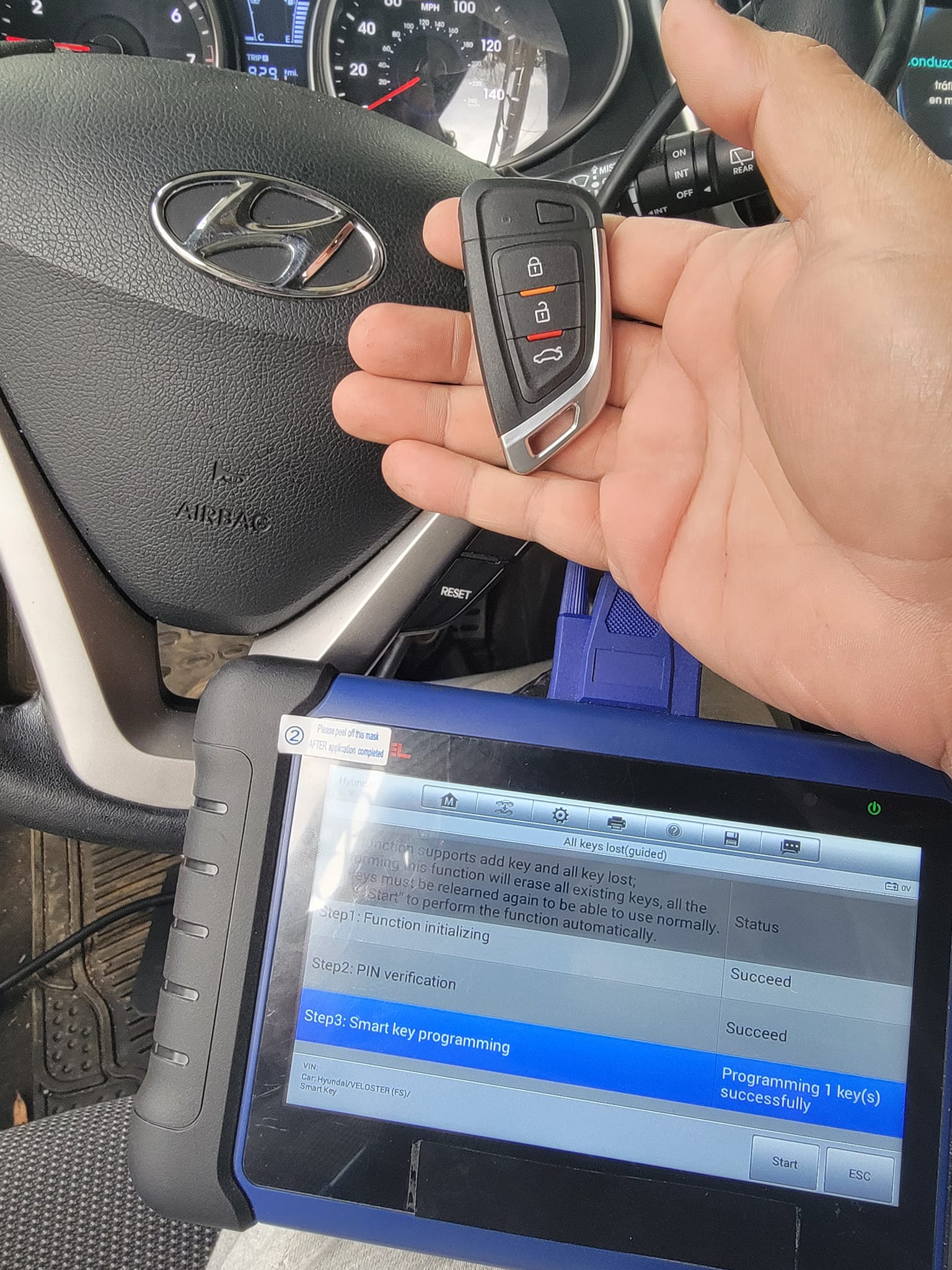
Autel IM508 Program Hyundai Veloster 2013 Smart Key AKL with Xhorse Key


Hyundai Veloster 2013 with Smart Key All lost keys are programmed by Autel Scanner Autel MaxiIM IM508 and Xhorse XSKF 01EN Universal Smart Flip Type Key.

Hyundai Veloster 2013 with Smart key all keys lost programming is done by Autel MaxiIM IM508 and Xhorse XSKF01EN Universal Smart Flip Type Key.

Look at the images below:

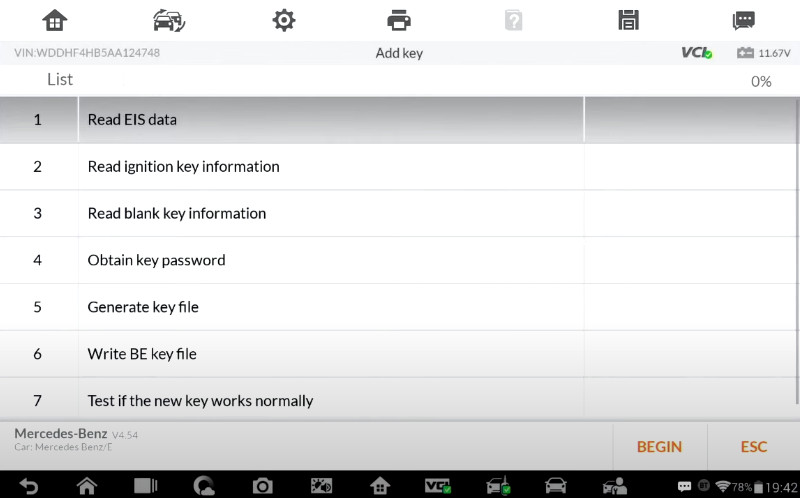
Autel IM508 Program Hyundai Veloster 2013 Smart Key AKL with Xhorse Key-1 Autel IM608 Pro + XP400 Pro Add new key Lost all keys for Mercedes Benz-2

Operation tips:

Autel MaxiIM IM508 is able to pull pin for this Hyundai, it is 6 digits.

I cut the key blade so when my key stops to work he can still open car door manually.

Yesterday we pulled a chip out and put a xhrose vvdi chip in a stock remote and it worked well.

Good to know:

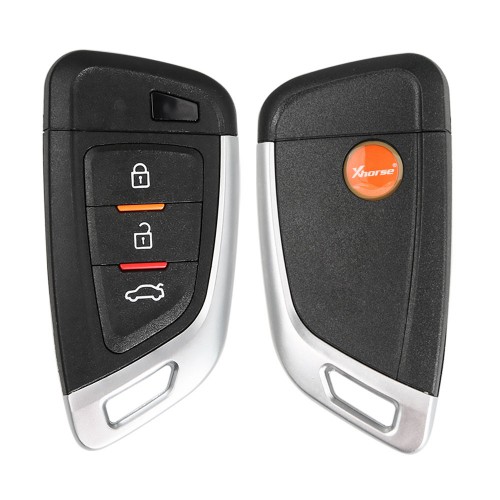
The key I am using is Xhorse XSKF01EN Universal Smart Flip Type Key.

Look at the image below, it shows the front side and back side of this xhorse key.

Autel IM508 Program Hyundai Veloster 2013 Smart Key AKL with Xhorse Key-3

2022年3月6日星期日

How to Read Benz W207 EIS Data by Autel IM508 with XP400 Pro


Autel MaxiIM IM508 with XP400 Pro supports the same advanced functions as Autel IM608 and IM608 Pro incl. Mercedes infrared key read/write, remote frequency detection, add 3rd gen Benz IMMO key, lost all keys via OBD, 2015-2019 Jaguar Land Rover Write key via dump and Volvo Smart Key/Fobik Smart Key learning. This post shares the guide to read Benz EIS W207 data via OBD.

Autel MaxiIM IM508 with XP400 Pro supports the same advanced functions as Autel IM608 and IM608 Pro incl. Mercedes infrared key read/write, remote frequency detection, Benz 3rd generation IMMO add key, all keys lost via OBD, 2015-2019 Jaguar Land Rover write key via dump and Volvo Smart key/Fobik smart key learning. This post will share the guide to use to read Benz EIS W207 data via OBD.

All devices required:
Autel MaxiIM IM508 with XP400 Pro Key and Chip Programmer
Mercedes- Benz EIS/ELV
Instrument
Gateway
Note: All Benz control modules above have been disassembled from the car.

How to Read Benz W207 EIS Data by Autel IM508 with XP400 Pro -1

Connection:
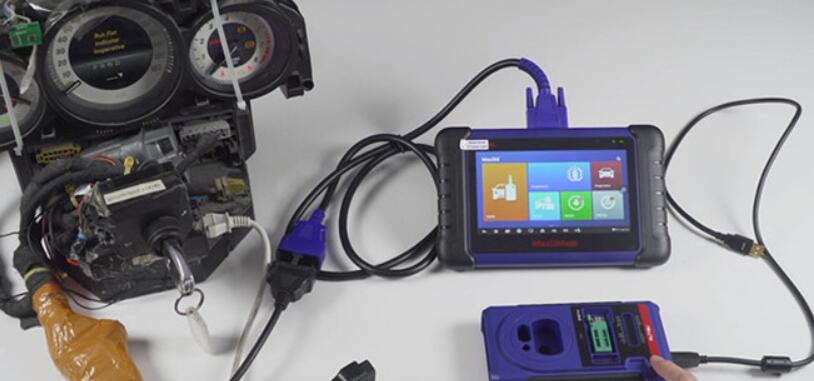
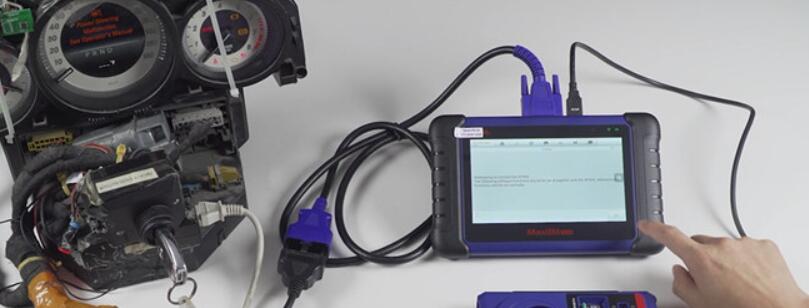
Connect MaxiIM IM508 to the dashboard via OBDII main cable
Connect XP400 Pro with IM508 via the programmer USB cable (Its color is black)
Note: Don’t connect XP400 Pro programmer to the vehicle OBD connector via OBDII cable.

How to Read Benz W207 EIS Data by Autel IM508 with XP400 Pro -2

Operation:
Enter “IMMO” function of the IM508 tablet-> Select “Mercedes Benz”
Make sure the xp400 pro has been connected to IM508 properly
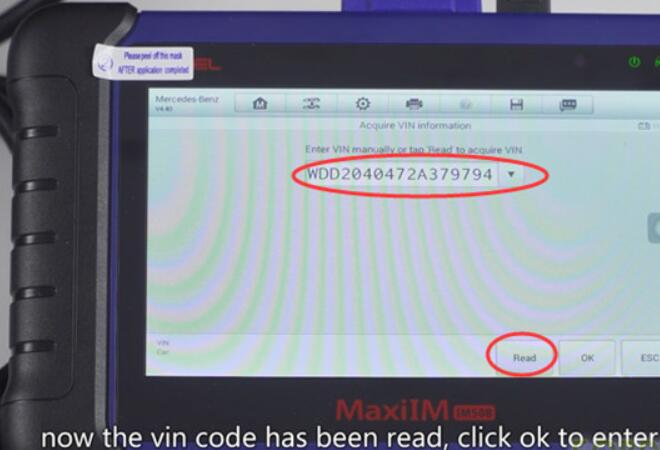
Select “Automatic selection”-> tap “Read” to read out VIN automatically (No need to enter VIN manually)

How to Read Benz W207 EIS Data by Autel IM508 with XP400 Pro -3

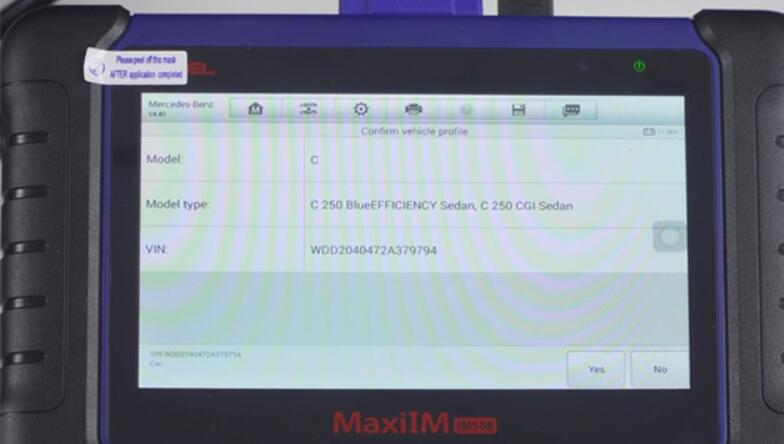
Read out the vehicle info and confirm if it is correct

How to Read Benz W207 EIS Data by Autel IM508 with XP400 Pro -4

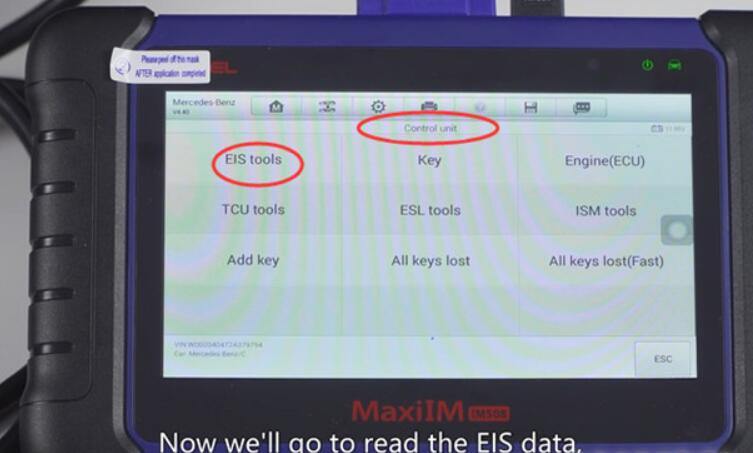
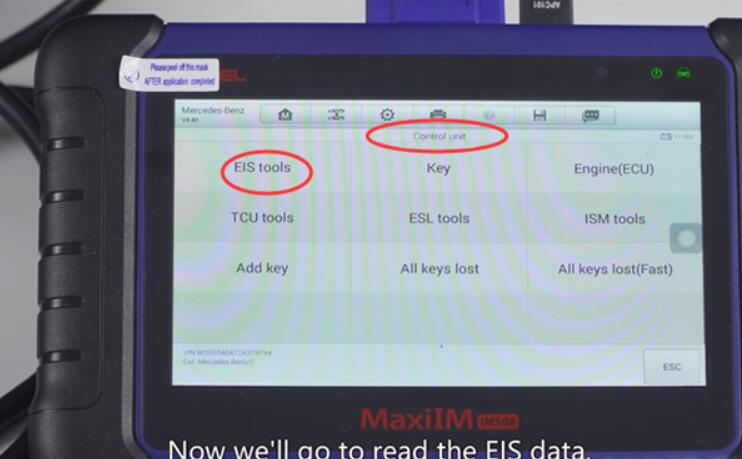
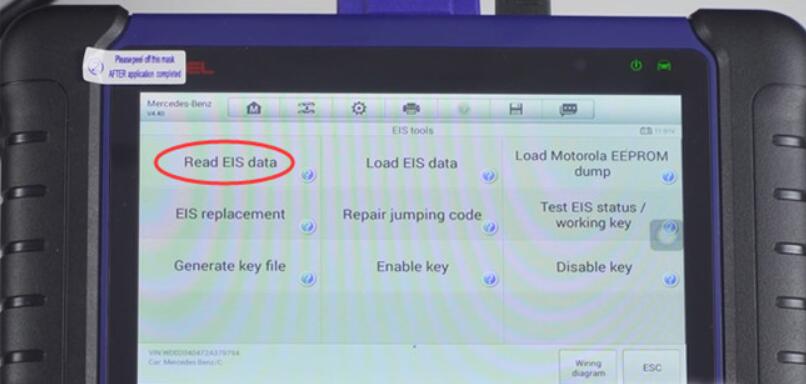
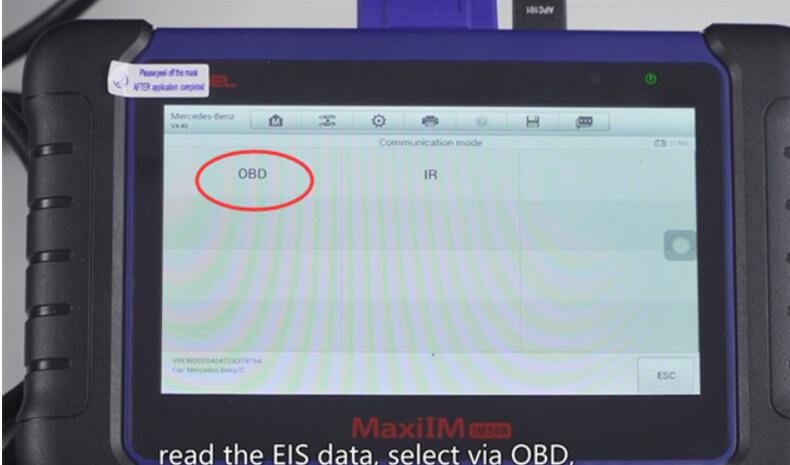
Select “2008-2014”-> “Control unit”-> “EIS tools”-> “Read EIS data”-> “OBD”-> “On vehicle”-> “Auto scan”

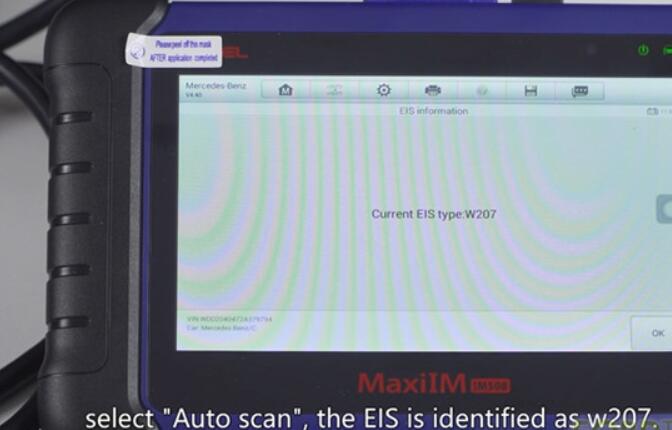
How to Read Benz W207 EIS Data by Autel IM508 with XP400 Pro -5 How to Read Benz W207 EIS Data by Autel IM508 with XP400 Pro -6 How to Read Benz W207 EIS Data by Autel IM508 with XP400 Pro -7 How to Read Benz W207 EIS Data by Autel IM508 with XP400 Pro -8

Identify the EIS type is W207

How to Read Benz W207 EIS Data by Autel IM508 with XP400 Pro -9

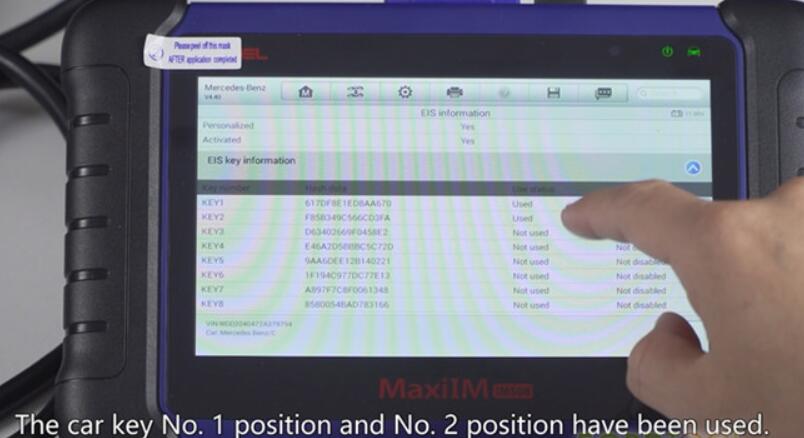
Read out the EIS info and the car key No.1 and No.2 position have been used
How to Read Benz W207 EIS Data by Autel IM508 with XP400 Pro -10

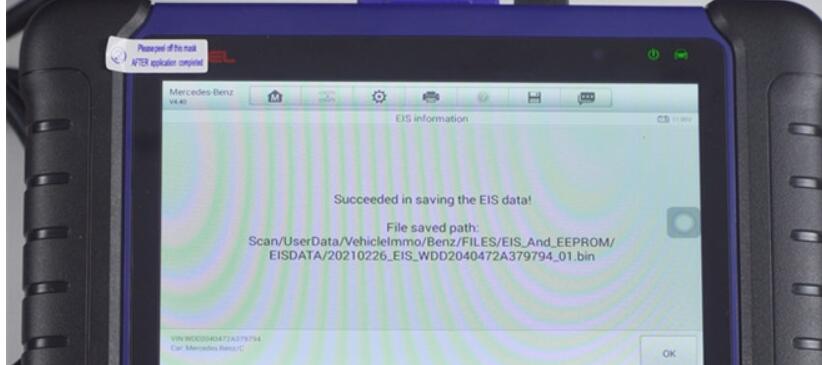
Save the EIS data, then you can upload the data to the server to calculate the password and program key.

How to Read Benz W207 EIS Data by Autel IM508 with XP400 Pro -11

Done!